Anify — Focus & Widget Suite
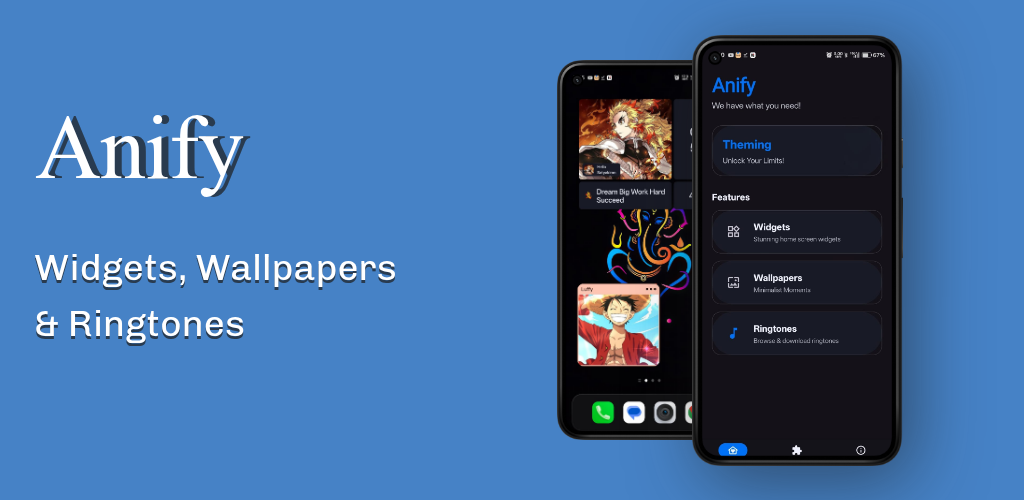
Personalizing your Android home screen has always been one of the platform’s greatest advantages. However, for a long time, achieving a truly clean, aesthetic home screen meant diving into complex third-party tools like KWGT, paying for Pro keys, importing custom files, and spending hours adjusting layouts.
I wanted to change that.
That is why I built Anify - Focus & Widget Suite—an all-in-one personalization app designed to give you a gorgeous, premium home screen customization experience natively, without any setup complexity.
In this post, I will walk you through the core features of Anify, the motivation behind building it, and a brief look at the tech stack powering the app.
📱 What is Anify?
Anify - Focus & Widget Suite is a native Android application designed to make customization effortless. Instead of forcing users to configure engines and import widget packs, Anify offers a curated, ready-to-use library of widgets, wallpapers, and ringtones directly inside a single, fast application.
You can visit the official website or download it from the Play Store: 👉 Website: anify.psatyakiran.in 👉 Google Play Store: Download Anify on Google Play
✨ Key Features
1. Ready-to-Use Native Widgets (No KWGT Required)
The core highlight of Anify is its collection of pre-built, modern widgets. You don’t need to install any other software.
- Minimalist Clocks & Calendars: Keep your home screen neat with time-and-date widgets that adapt beautifully.
- Dynamic Music Players: Control your tunes with stylish, responsive media widgets.
- System Status Monitors: Keep track of battery life and key system indicators at a glance.
2. HD & AMOLED Wallpapers
A great widget setup is nothing without a complementary background. Anify includes a built-in gallery of curated high-definition wallpapers:
- Minimalist & vector art.
- AMOLED-friendly dark backdrops to conserve battery.
- Anime-inspired and modern aesthetic themes.
3. Curated Ringtones & Notification Sounds
To complete the personalization experience, I added a library of unique ringtones, notification tones, and alarm sounds. You can browse, sample, and set them directly within the app.
4. Modern Material Design
The app is built with a clean, fluid user interface that matches modern Android design principles. It feels premium, loads instantly, and respects your device’s light/dark modes.
🛠️ The Tech Stack Behind Anify
Building a high-quality personalization app required a mix of modern tools and backend frameworks to handle dynamic content delivery:
- Android SDK & Native Development: Ensures high performance, smooth animations, and proper system integration for widgets and media storage.
- Firebase: Utilized for cloud storage (wallpapers, ringtones), database configuration, and monitoring crash analytics to ensure app stability.
- Figma: The tool I used to design all user interfaces, widget layouts, and app assets before writing any code.
- AdMob: Integrated minimally to display clean banner ads, helping support the app’s server costs while keeping the main content free for everyone.
🚀 Future Roadmap
Anify is constantly evolving! Here is what I am planning to add in future updates:
- Implement an ad-free premium version through a single-time donation system.
- Add support for dynamically themed widgets that adapt using Android’s Material You colors.
- Expand the wallpaper gallery with daily community uploads.
If you want to support independent app development or just want to refresh your Android setup, download the app and let me know your thoughts!
🔗 Visit the Official Website or Get Anify on the Google Play Store